

Stop Drawing Architecture Diagrams. Start Talking to Them.
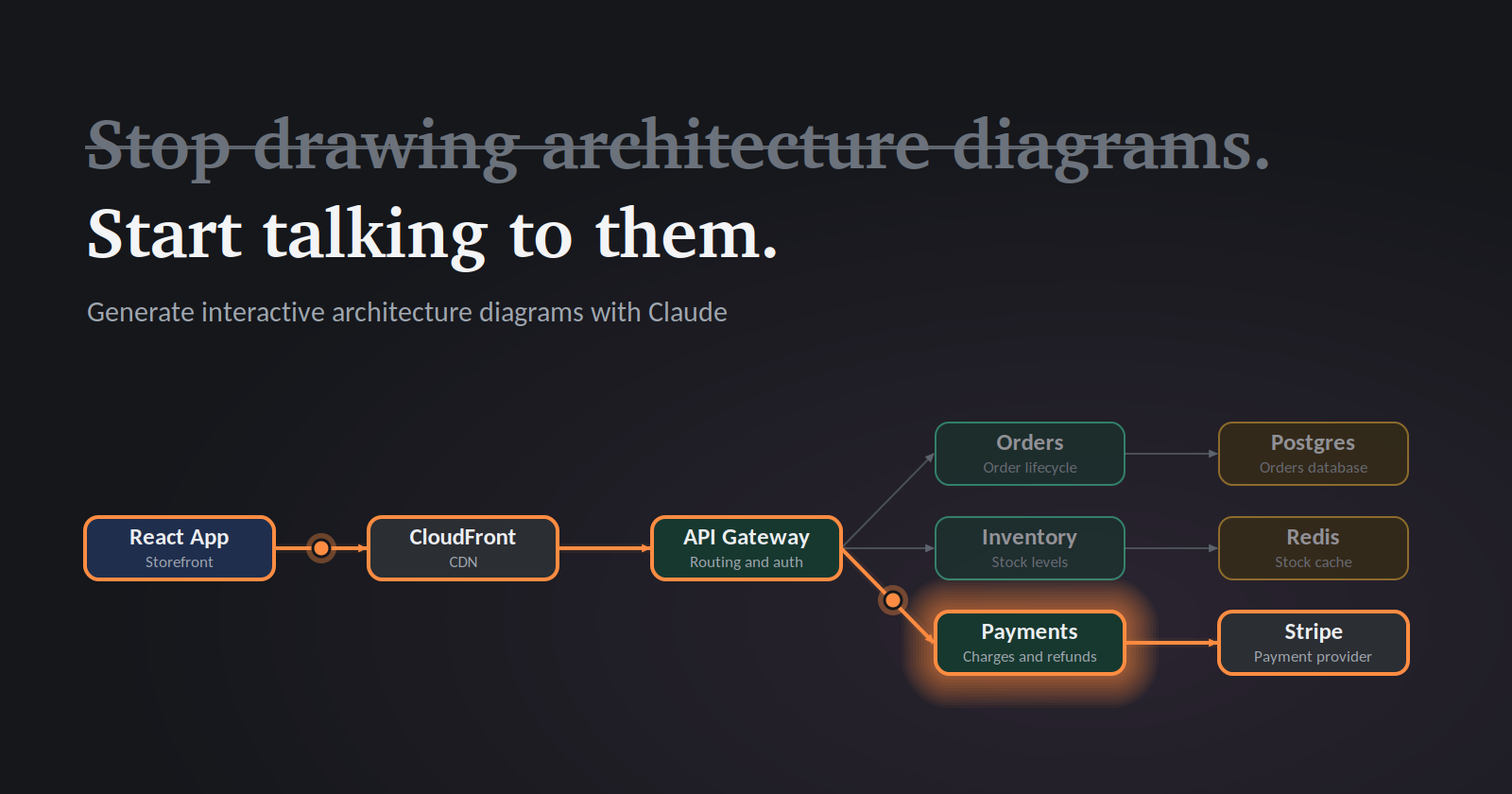
Every team has that diagram. The one in the wiki, last updated 15 months ago, with a box labeled “New Service (WIP)” that shipped in 2024.
Static diagrams go stale the moment you export them. They can’t answer questions, and nobody wants to maintain them. I’ve started replacing mine with interactive diagrams generated by Claude, and I haven’t opened a drawing tool since.
What “interactive” means here
Instead of a flat image, Claude builds a live visual inside the chat:
Click a service to see what it does, what it depends on, and who owns it
Toggle layers (data flow, auth, failure paths) on and off
Highlight the path of a single request through the system
Hover to reveal latency, protocols, or SLAs
All of it comes from a plain-English description. No Lucidchart, no Figma, no dragging arrows around.
How to do it in 4 steps
Describe the system like you’d explain it to a new hire. “We have a React frontend behind CloudFront, an API gateway routing to three services (orders, inventory, payments), Postgres for orders, Redis for caching, and Kafka between orders and inventory.”
Ask for interactivity explicitly. Try: “Show me this as an interactive diagram. Clicking any component should show its responsibilities and dependencies.”
Iterate in conversation. “Add a failure scenario where payments times out.” “Color the async paths differently.” “Group everything in the data layer.” Each tweak takes seconds, not an afternoon.
Make it a living document. When the architecture changes, tell Claude what changed. Paste in a Terraform file or a service list and ask it to rebuild the diagram from the source of truth.
Prompts that work well
“Diagram our checkout flow, and let me click through each step to see what can fail.”
“Here’s our docker-compose file. Generate an interactive map of the services and how they connect.”
“Show before and after for the monolith-to-microservices migration, with a toggle between them.”
Examples
Prompt 1: Describe the system
“Here’s our architecture: React frontend behind CloudFront. An API gateway routes to three services: Orders, Inventory, and Payments. Orders uses Postgres. Inventory uses Redis for caching. Orders publishes events to Kafka, and Inventory consumes them. Payments calls Stripe. Show this as an interactive diagram where clicking any component shows its responsibilities and dependencies.”
Prompt 2: Trace a request
“Add a button that highlights the path of a checkout request from browser to confirmation, step by step.”
Prompt 3: Add failure scenarios
“Add a toggle for failure mode. If I click Payments, show what breaks downstream and what the user sees.”
Prompt 4: Change the audience
“Add a view switcher: Executive (3 boxes, plain English) and Engineering (full detail with protocols and ports).”
Prompt 5: Keep it alive
“We’re adding a Notifications service that consumes Kafka events and calls SendGrid. Update the diagram and highlight what changed.”
Why this beats static diagrams
It answers questions. Instead of squinting at arrows, you click and ask, “What breaks if Redis goes down?”
It’s cheap to update. Cost is the real reason diagrams rot. When updating takes 30 seconds, people do it.
It scales across audiences. Engineers get the detail layer, executives get the three-box version. Same system, different views.
It makes reviews better. Walking through a design with something clickable gets sharper feedback than a slide ever did.
A few honest caveats
Claude only knows what you tell it, so garbage in, garbage out. For production documentation, feed it real artifacts like infrastructure code or service catalogs rather than memory. And always sanity-check the output. It’s a fast first draft, not an auditor.
The takeaway
Diagrams should be tools for thinking, not artifacts you maintain out of guilt. Describe your system, ask for something clickable, and iterate until it matches reality.
Try it on your own architecture this week. I’d love to hear what it surfaces that your old diagram never did.
Comments
Join the discussionNo comments yet. Be the first to comment.
Artificial Intelligence
Exploring the frontiers of Artificial Intelligence. From deep learning breakthroughs to practical implementation guides, this series breaks down the complex world of AI into actionable insights for developers and enthusiasts alike.